5 AI prompts to run your consulting firm: bids, staffing, and pipeline

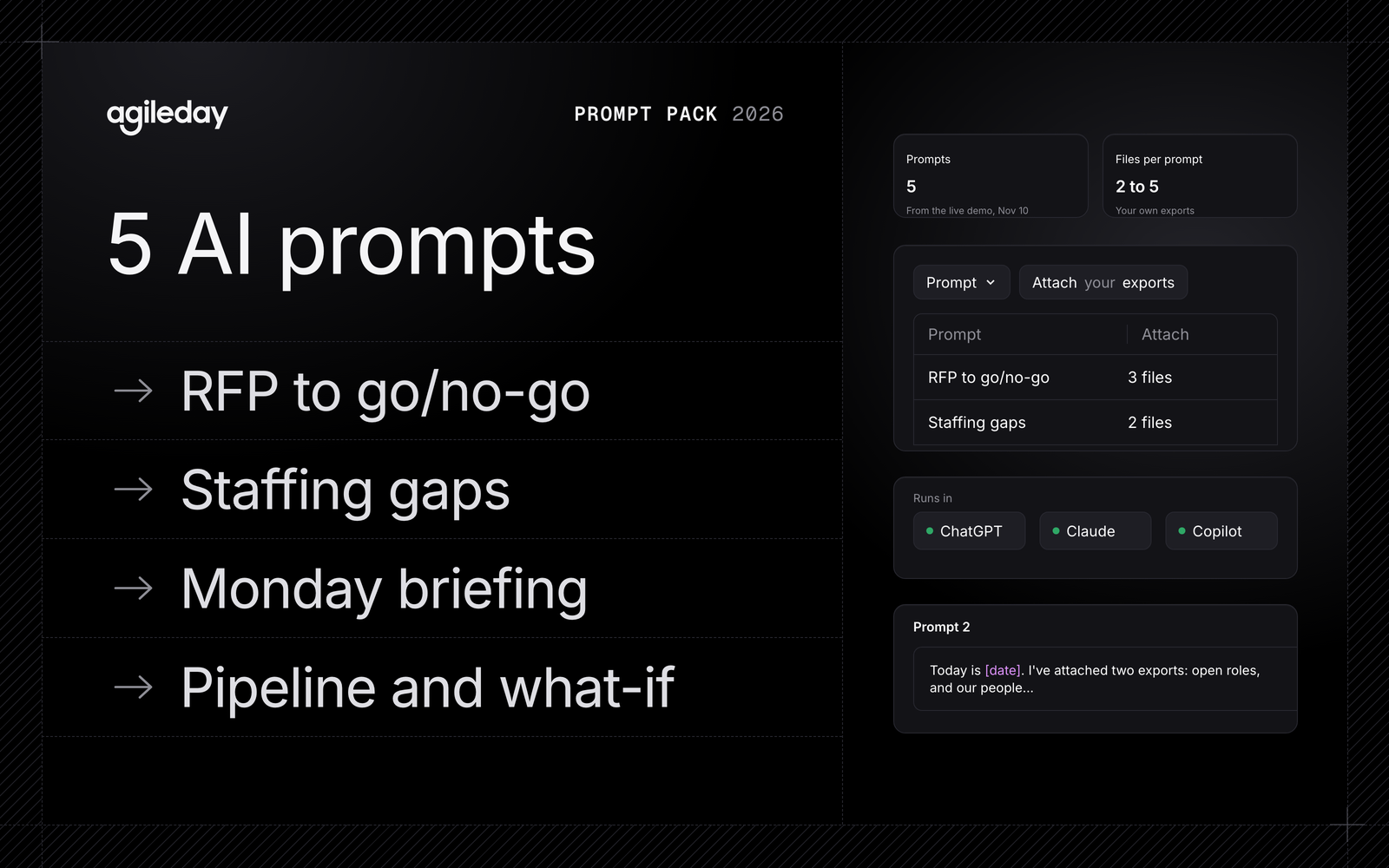
We'll show you here five prompts from Agileday live agent demo. Learn how to turn an RFP into a go/no-go, find staffing gaps, brief your team, and test what-if deals in ChatGPT or Claude.
We’ll share with you here five prompts from our live demo on November 10, 2026. You can run them also in ChatGPT, Claude, or Copilot with your own data. Each one replaces work that usually takes a pile of spreadsheets and an afternoon: reading an RFP, finding staffing gaps, briefing a team, checking the pipeline, and testing what-if deals.
In the demo, Agileday's agents answered each of them on live data, with no exports. If you already use Agileday, you can run the same prompts in the Agent, or from Claude, ChatGPT, or Copilot through the Agileday MCP server. If you don't, the versions below work on your own exports, and we're happy to show you the same five on live data: talk to an expert.
For each prompt you get the prompt itself, the systems it needs data from, how to measure whether it helps, what a good answer looks like, and what changes when the same prompt runs in Agileday. Try them, then tell us what you got. We are curious how far a general AI assistant gets on your data.
We highly recommend you to watch our full demo session where Agileday Co-Founder and CEO Jaakko Hartikainen and Co-Founder and Head of Product Jaakko Hallavo share lots of high value insights.
The same prompt behaves differently in the two setups:
What you need before you start
Each prompt needs two to four exports from the systems you already use. A general AI assistant only sees what you give it, so the quality of the answer depends naturally on the data you attach.
| Prompt | Data to attach | Where it usually lives |
|---|---|---|
| 1. RFP to go/no-go | The RFP, your people with roles, skills, and bookings, your past projects | RFP inbox, resource plan or PSA, CRM or project archive |
| 2. Demand vs supply | Open roles, your people with available and booked hours | Resource plan or PSA, HR system |
| 3. Weekly team briefing | Last week's timesheets with a billable flag, planned hours, available hours and absences, open roles, rates (optional) | Timesheet tool, resource plan, finance system |
| 4. Pipeline health check | Open deals, the staffing plan per deal, people's bookings until the latest deal end | CRM, resource plan or PSA |
| 5. What-if scenario | Open deals with roles and hours, signed and tentative bookings and available hours by month, rates | CRM, resource plan or PSA, finance system or rate card |
Export or connect. The simplest route is a CSV or spreadsheet export from each system. Many AI assistants can also read your tools directly through connectors or MCP (the Model Context Protocol), for example a CRM or a shared drive.
Keep personal data out, unless your tools cover it. Staffing exports contain personal data. Replace people's names with IDs (P01, P02), use deal codes instead of deal names, and use an AI tool your company has approved for this data.
Fill in the brackets. Each prompt starts with "Today is [date]" so the assistant counts weeks from the right day. Replace [date], [rate], and deal names before you run it.
Or skip the exports. In Agileday this step doesn't exist: the agent already reads live data with the access rights of the person asking.
Measure before you start. Every section below suggests one time measure and one outcome measure. Record both for four weeks before you use the prompt, then compare. The value of a prompt is simple to estimate:
Hours saved per week × people who do the task × loaded hourly cost = weekly value
The outcome measures (win rate, bench, forecast accuracy) usually matter more than the hours, but they take a quarter to show.
Prompt 1: How do I turn an RFP into a go/no-go decision with AI?
Attach the RFP, your people, and your past projects, and this prompt returns a summary, a team plan, matching references, and a go/no-go recommendation. It is the quickest of the five to try.
When to use it: the day an RFP or a client request lands, before anyone spends an evening on it.
Today is [date]. I've attached an RFP and a list of our people: ID (no names), role, seniority, skills, available hours per week, and booked hours per week from today until four weeks after the project start in the RFP. I've also attached our past projects (client industry, scope, technologies, and dates) and, if we have them, our cost and bill rates by role.
Give me a bid intake assessment:
1. RFP summary: the client's core needs, scope, architecture, and submission deadlines, in under 150 words.
2. Mandatory requirements: list any pass/fail requirements in the RFP (for example certifications, references, language, or location) and whether we meet them, based on my files.
3. CRM update: a short opportunity description, the services it matches, and the skills it needs.
4. References: the 2 or 3 past projects that best match this RFP's industry and technology, and why.
5. Team plan: the roles, seniority, dates, and hours per week the RFP implies. For the lead and architect roles, shortlist two people each from my list and say when they are free. Flag roles we should subcontract.
6. Go or no-go: score capability, availability, margin, and deadline from 1 to 5 (1 = poor, 5 = strong) (if no rates are attached, say margin can't be scored), then recommend go, conditional go, or no-go, with the next three steps. A mandatory requirement we don't meet means no-go or conditional go.
Finish with the assumptions you made and the data you were missing.
Systems to connect
| Data | Typical source | Minimum columns |
|---|---|---|
| RFP | Email, procurement portal | The full document as PDF or text |
| People | Resource plan, PSA, or HR system | ID, role, seniority, skills, available and booked hours per week until four weeks after the RFP's start date |
| Past projects | CRM, project archive, or PSA | Client industry, scope, technologies, start and end dates |
| Rates (optional) | Finance system or rate card | Cost and bill rate by role |
How to measure it
| Measure | How to calculate | Why it matters |
|---|---|---|
| Time to go/no-go | Hours from RFP received to decision | Speed is often the first thing a client notices |
| Intake effort | Person-hours spent before the decision | The cost of saying no late |
| Win rate on bids you pursue | Won ÷ submitted, per quarter | Better go/no-go calls raise it |
| Team held at start | Won bids where the proposed lead started on the project ÷ won bids | A proposal is only as good as the team you can deliver |
What a good answer looks like: the deadlines are right, every mandatory requirement is listed with whether you meet it, every shortlisted person is actually free on the start date, the references match on industry and technology, and the go/no-go score explains its weakest criterion.
Where a general assistant stops: it only knows the bookings in your export, so availability is as old as your file. It can't create the opportunity or the open roles for you.
In Agileday: the agent reads current bookings and past projects directly, then proposes the opportunity update and the open roles and applies them after you confirm.
Prompt 2: Where are my staffing gaps in the next two months?
This prompt compares open roles that nobody fills with people who have free time, by role, and shows where the gap is. It answers the hiring question early, while you still have time to hire, subcontract, or reskill.
When to use it: every two weeks, or before a hiring or subcontracting decision.
Today is [date]. I've attached two exports. (1) Open roles: role, project or deal, start date, end date, hours per week, and whether someone is already assigned. (2) Our people: ID (no names), role, seniority, available hours per week, and booked hours per week for the next eight weeks.
Compare our open demand with our free supply, by role, week by week for the next eight weeks.
- Demand: every open role with nobody assigned that is running now or starts in the next eight weeks. Leave out internal or bench placeholders and roles that have already ended. Count them by role and sum their hours per week, showing project and deal demand separately.
- Supply: each person's free hours per week (available minus booked) over the same eight weeks, summed by role. Count every free hour, with no cutoff.
Then give me:
1. Demand by role, with count and share, as a chart if you can draw one, otherwise a table.
2. Supply by role, the same way.
3. A table comparing demand and supply per role for each week, with the gap and the week each gap starts.
4. Three key findings and three recommendations: hire, subcontract, reskill, or move people.
Work at role level, not skills. Finish with the assumptions you made and the data you were missing.
Systems to connect
| Data | Typical source | Minimum columns |
|---|---|---|
| Open roles | Resource plan, PSA, or a staffing sheet | Role, project or deal, start and end date, hours per week, assigned yes/no |
| People | Resource plan or PSA, HR system for available hours | ID, role, seniority, available hours, booked hours per week |
How to measure it
| Measure | How to calculate | Why it matters |
|---|---|---|
| Unfilled demand | Open role-weeks with nobody assigned, starting within two months | The revenue you can't deliver yet |
| Time to staff | Days from role opened to person assigned | Slow staffing loses deals and extensions |
| Bench rate | Unbooked available hours ÷ available hours | The cost of supply nobody sells |
| Subcontractor share | Subcontracted hours ÷ delivered hours | Shows whether you hire or buy your way out of gaps |
What a good answer looks like: the counts match your own quick check for one or two roles, no role shows unfilled demand and unused free people in the same weeks without a reason, and the recommendations name a role and a date, not just "hire more".
Where a general assistant stops: it works on roles in a snapshot. It can't see skills behind the roles, people who will free up when a project ends early, or deals about to close.
In Agileday: the agent works on live open roles, skills, bookings, and pipeline, so the comparison is current every time you ask.
Prompt 3: What should my team lead know this Monday?
This prompt turns timesheets and plans into a one-page weekly briefing: what went off plan last week, who is overbooked, who is free, and where margin is thin.
When to use it: Monday morning, before the team meeting.
Today is [date]. I've attached last week's timesheets (person ID, project, date, hours, and whether the hours are billable), the planned hours per person and project for last week and the next four weeks (each marked confirmed or tentative), each person's role and available hours per week and absences, and our open roles. Optional: cost rate and bill rate per person.
Give me the weekly briefing for my team:
1. Last week: missing timesheets (people who logged fewer hours than their available hours minus absences), and the biggest gaps between planned and actual hours on client projects. Leave internal and bench time out of the gaps.
2. Over-allocation: people booked above their available hours minus absences, with confirmed and tentative bookings shown separately, and a suggested fix for each.
3. Under-allocation and bench: who has free hours in the next four weeks after absences, and which open roles they could fill.
4. Margin (only if rates are attached): delivery margin by client project last week, calculated as billable hours times bill rate, minus all hours logged times cost rate, divided by billable hours times bill rate. Show the three lowest and a suggested action for each.
Keep it to about 400 words. Finish with the assumptions you made and the data you were missing.
Systems to connect
| Data | Typical source | Minimum columns |
|---|---|---|
| Timesheets | Timesheet or time tracking tool | Person ID, project, date, hours, billable yes/no |
| Planned hours | Resource plan or PSA | Person ID, project, week, hours, confirmed or tentative |
| Available hours | HR system or resource plan | Person ID, hours per week, absences |
| Rates (optional) | Finance system or rate card | Person ID or role, cost rate, bill rate |
How to measure it
| Measure | How to calculate | Why it matters |
|---|---|---|
| Prep time | Minutes the team lead spends preparing the weekly review | The direct time saving |
| Timesheet completion | Timesheets complete by Monday noon ÷ people | Late timesheets mean late invoices |
| Plan accuracy | 1 − (total gap between planned and actual hours ÷ planned hours) | Shows whether plans can be trusted |
| Utilization | Billable hours ÷ available hours | The number most firms steer by |
What a good answer looks like: it names people by ID, not "some team members", every suggested fix moves a specific booking, and the margin section is skipped when no rates are attached instead of guessed.
Where a general assistant stops: it needs fresh exports every Monday and can't move a booking or remind someone about a missing timesheet.
In Agileday: the briefing runs on live timesheets, plans, and absences, as a saved prompt or automation. The agent proposes booking changes and applies them after you confirm.
Prompt 4: Which of my deals will cause a staffing problem?
This prompt checks your open deals against your staffing plan and flags the ones that will cause trouble after you win them: wrong hours, dates that don't work, no named people, or people already booked elsewhere.
When to use it: before the weekly pipeline meeting.
Today is [date]. I've attached (1) my open deals: name, value, stage, win probability, expected close date, and planned start and end dates, (2) the staffing plan for each deal: roles, hours per week, and any people already proposed, and (3) our people: ID, role, available hours per week, and booked hours per week until the latest planned end in my deals. Our average bill rate is [rate] per hour.
Review my open deals and flag:
- deals where planned hours times our average rate differs from the deal value by more than 20% of the deal value,
- deals whose planned start is earlier than the expected close date plus 14 days,
- deals with a win probability of 60% or more and no named people,
- proposed people whose booked hours plus proposed hours are above their available hours in the same weeks,
- people proposed on two or more deals in overlapping weeks,
- roles with no suitable person in our team.
For each issue, propose a fix and say what it does to the revenue forecast and to utilization (billable hours divided by available hours). Show the result as one table with a risk level (high, medium, low) per deal, sorted by risk. If a deal falls outside the dates in my data, mark that check "can't check" instead of guessing.
Finish with the assumptions you made and the data you were missing.
Systems to connect
| Data | Typical source | Minimum columns |
|---|---|---|
| Open deals | CRM | Name, value, stage, win probability, expected close, start and end date |
| Staffing plan per deal | CRM, resource plan, or PSA | Deal, role, hours, proposed person ID |
| Bookings | Resource plan or PSA | Person ID, role, available hours, booked hours per week until the latest deal end |
How to measure it
| Measure | How to calculate | Why it matters |
|---|---|---|
| Staffed pipeline | Deals at 60% or more with named people ÷ deals at 60% or more | Late-stage deals without people start late |
| Conflicts caught early | Double bookings found before close ÷ all double bookings found | A conflict found after signing costs a client conversation |
| Forecast accuracy | 1 − (gap between forecast and actual monthly revenue ÷ actual) | Shows whether the pipeline can be planned on |
| Close to start | Days from deal won to first billable hour | The revenue you lose waiting for people |
What a good answer looks like: every flag points to a deal and a reason you can check in a minute, and the fixes are specific: "move P07's start by two weeks" rather than "review staffing".
Where a general assistant stops: your CRM and resource plan are two exports that it matches by name, so a renamed deal or a missing ID breaks the check. It can't watch the pipeline between your exports.
In Agileday: deals, staffing plans, and bookings live in one system, so nothing is matched by name and the check is current before every pipeline meeting.
Prompt 5: What happens to revenue and bench if we win some deals and lose others?
This prompt runs a what-if: pick the deals you expect to win and lose, and it shows revenue, utilization, and bench month by month for two quarters, then tells you what to do about it.
When to use it: before a resourcing or hiring decision, or when a big deal moves.
Today is [date]. I've attached my open deals (name, value, expected close date, start and end dates, roles, and hours per week) and our available and booked hours per month for the next six months, by role. Available hours are after holidays and other absences. Booked hours are split into signed and tentative, and each tentative booking names the deal it is held for. Our bill rate is [rate] per hour (or attached by role).
Baseline: signed bookings only. Scenario: we win [Deal A], [Deal B], and [Deal C], so add their hours from the deal list, not their tentative bookings, so nothing is counted twice, and we lose [Deal D], so the hours held for it free up.
1. Compare the scenario with the baseline for revenue, utilization (billable hours divided by available hours), and bench, month by month for the next two quarters.
2. Name the three roles with the biggest shortage or surplus in any month.
3. Then tell me what to do: where the people freed by losing [Deal D] should go, how to handle any over-allocation, and whether to hire, subcontract, or move people between teams, and by when.
Show the months as a table, and as a chart if you can draw one. Finish with the assumptions you made and the data you were missing.
Replace [Deal A] to [Deal D] with your own deal codes. Deal D only changes the result if you already hold bookings for it.
Systems to connect
| Data | Typical source | Minimum columns |
|---|---|---|
| Open deals with resourcing | CRM plus the staffing plan | Name, value, expected close, start and end date, role, hours per week |
| Capacity by month | Resource plan or PSA, HR system | Role, month, available hours after absences, booked hours split into signed and tentative, with the deal for each tentative booking |
| Rates | Finance system or rate card | Bill rate by role, for revenue |
How to measure it
| Measure | How to calculate | Why it matters |
|---|---|---|
| Time to answer a what-if | Hours from question to answer | Leadership decisions wait for this today |
| Scenario accuracy | Compare the scenario's revenue and bench with what happened one quarter later | Shows how much to trust the next one |
| Bench rate next quarter | Unbooked available hours ÷ available hours | The number the scenario should improve |
| Decision lead time | Days between a hire or subcontract decision and the date the person is needed | Earlier decisions cost less |
What a good answer looks like: the month-by-month table adds up, the baseline (signed bookings only) is shown next to the scenario, and each recommendation has a date.
Where a general assistant stops: this is the most data-hungry of the five. With exports it works on a snapshot you assembled by hand, so the answer is only as current as your spreadsheet.
In Agileday: the scenario runs on live deals, bookings, and rates, so there is no snapshot to assemble.
What did you get?
Tell us which answers you got and whether they were enough: add a note to the Talk to an expert form. We built these prompts to show what an agent does with live data, and we're curious to hear where you landed with your tests.
| General AI assistant with exports | Agileday agents | |
|---|---|---|
| Data | A snapshot you export and attach | Live sales, staffing, delivery, and finance data |
| Permissions | Whatever is in the file | The same access rights as the person asking |
| History | Only what you attach | Past projects, bookings, and timesheets |
| Acting on the answer | You make the changes yourself | Proposes the change and applies it after you confirm |
| Running every week | You repeat the exports | Saved prompts and automations |
When a general AI tool might be enough? If your staffing fits one spreadsheet and you plan once a month, exports and these prompts may be all you need. Live data, permissions, and the ability to act on the answer start to matter when you plan weekly across dozens of people and many open deals.
Agileday is an AI-native professional services automation (PSA) platform that connects sales, staffing, delivery, and finance for consultancies and agencies with 50 to 10,000 people. If you'd like to see these five prompts run on live data, and what the agents do next, we'll walk you through them in 30 minutes.
Frequently asked questions
Yes. The prompts are plain text and work in any AI assistant that reads attached files. Copilot and Gemini may return a table where ChatGPT or Claude draws a chart.
Staffing data contains personal data. Replace people's names with IDs, use deal codes instead of deal names, and use an AI tool your company has approved for this data.
Agileday agents read live data with the asking person's permissions. A general assistant reads only the exports you attach, so its answer is as current as your files.
A general assistant needs fresh exports each time. Agileday runs saved prompts and automations on live data.