Product update: June + July 2026

Summer included a bunch of improvements on several fronts.
Summary
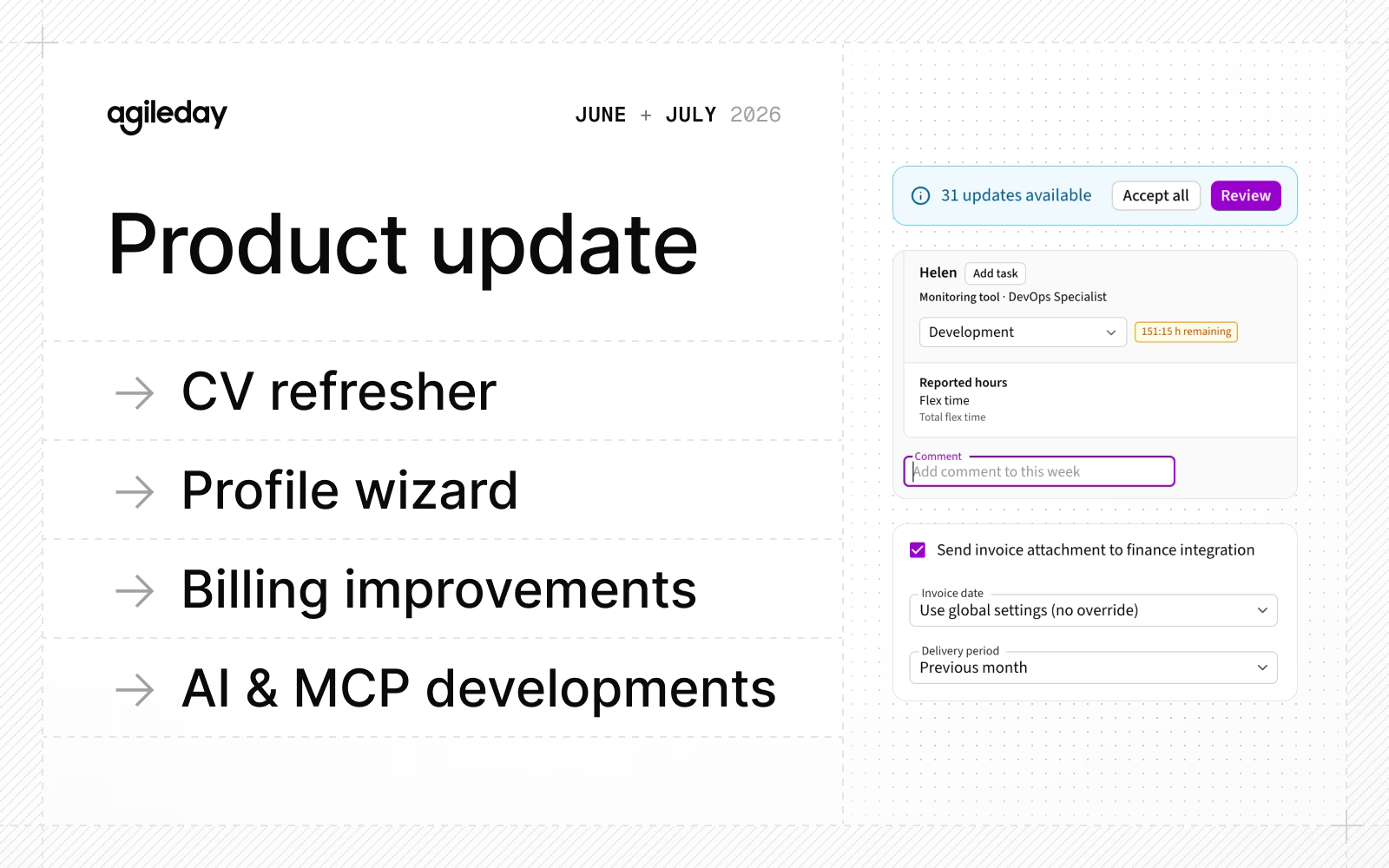
Welcome to our summer update where we combine June and July into a neat package, with releases including:
- CV refresher: Keep existing CVs up to date with the latest profile information.
- Profile wizard: Keep your profile relevant with minimal effort.
- Billing improvements: Enjoy better configurability, attachment handling, and invoice details.
- AI and MCP: More tools and an improved chat experience (private beta).
- Improvements and fixes: Time reporting additions, API updates, and more.
Let’s jump to the details.
CV refresher
Users can now keep their CVs up to date without having to create a new CV from scratch. Whenever a profile is updated (through manual editing, the Profile wizard, or the API), the CV tab on the profile page now indicates which existing CVs can be refreshed.
In the CV editor, users can view new and updated profile data. They can either approve or dismiss each change individually or in bulk, making the CV update process a breeze.
Profile wizard
Whether you’re a new or a seasoned Agileday user, our new Profile wizard makes it easy to build and update your profile, ensuring it contains all the relevant information. You can start from scratch or upload a CV as the foundation.
Every step covers one area of your profile, and you can use AI to improve and iterate on content.
Billing improvements
To make billing snappier, we’ve released the following improvements:
- Attachments: In Project Settings and on invoices, you can now choose whether invoice attachments are sent to your finance integration. Note: Existing integrations must be updated to support this new setting.
- VAT decoupling: For managing invoiced products, we decoupled Products and VAT Codes. You can optionally associate a default VAT code with a product, or leave it unset and select the appropriate VAT code for each invoice row.
- Default invoice dates: You can now define defaults for Invoice date (current date or the last day of the previous month) and delivery start and end dates (empty or the previous month). These defaults are applied when creating invoices, but can be modified for individual invoices.
- Invoice update information: The names of the invoice creator and last updater, along with their timestamps, are now displayed on invoices. These fields can also be used as filters. In addition, users can now customize the columns displayed in the invoice list, and their selections are remembered across sessions.
Read more about billing in our documentation.
AI and MCP
We believe AI can greatly simplífy the way our users interact with our platform and their data. We’ve made solid progress on all fronts, specifically:
- MCP: Increased tool count to 43, covering users, staffing, customers, projects, and opportunities. We also improved and expanded several existing tools.
- Chat: Reworked our AI chat usability to ensure a better experience.
- Agents: Added new autonomous agents.
- Models: Anthropic Claude models are now supported in AI chat and agents. As with Gemini models, your data never leaves your selected data residency when using Claude.
Currently, the AI chat and agents are only available to private beta customers, with general availability planned for August. If you want immediate access, contact your CSM.
Improvements and fixes
Summer was a great time to work on some quality-of-life improvements, so this list is a bit on the long side (hence the sections):
Sales & staffing
- We added a find-as-you-type search when selecting partner companies to share an opening with.
- Candidate views now display each candidate's other allocations, making it easier to assess their availability for a new assignment. This information is available as a hover tooltip in both the Project/Opportunity Staffing tab and the Find Candidates view.
Time reporting
- In addition to using the tab key to move forward/backward, you can now use the arrow keys to navigate between time entries.
- We added an alert to reduce the risk of users unintentionally adding a project as Unplanned when the project is already present in their timesheet through existing allocations.
- When a project task has a budget, the remaining task budget is now displayed while users enter hours. As before, users can still log hours beyond the budget if needed.
- If a split week contains only weekend days (Saturday and/or Sunday), it is now automatically marked as submitted. Users can still report hours for weekends, but they no longer need to submit empty weekend-only weeks manually.
- When displaying Utilization and Billability percentages, we now also show the calculation formula and the underlying values. This makes it easier for both users reviewing their own hours and HR administrators reviewing organization-wide data to understand how these metrics are calculated.
- We added a comment field to weekly timesheets and exposed it through the Timesheet API. We also added support for retrieving timesheet entries by
timecardId. - We added the exact freeze date to the freeze banner, making it clearer when the freeze will occur.
- We extended the Time Entry API to return task/opening external IDs, task/opening product external IDs, and created/updated timestamps.
Profile and people
- We renamed the Staffing tab in user profiles to Staffing History and added clarification about which openings are included in the history.
- User profiles now display the user's Region in the Contact Information section, when available.
- In the Projects & Allocation tab, potential openings now display the expected start date in DD-MM-YYYY format. We also now show the opening and candidate stages, making it easier for users to assess the likelihood of each opportunity.
- Markdown support for company descriptions was added.
- When creating a new absence request, users are now informed about who can view the absence data.
Tech, API & performance
- We added a new endpoint for managing Commercial Roles.
- We added
createdAfterandupdatedAftertimestamp filters to GET/v2/opening. - We added
updatedAfterfiltering to HR APIs and populated previously missingupdatedAtvalues. - Error messages have been improved across multiple endpoints.
- In Settings → Integrations, you can now choose which user data fields are managed by SCIM. This provides greater flexibility depending on the data available in Microsoft Entra ID. Fields managed by Entra are treated as read-only in Agileday.
- There is now improved support for user locale and decimal separators in Billing (VAT percentages and invoice details) and Pricing (hourly rates and deal size).
As usual, we've squashed a few bugs along the way. Check our release notes for details.
That's it for June and July, see you again next month. Until then, let us know if you have any questions.