Product update: August 2026

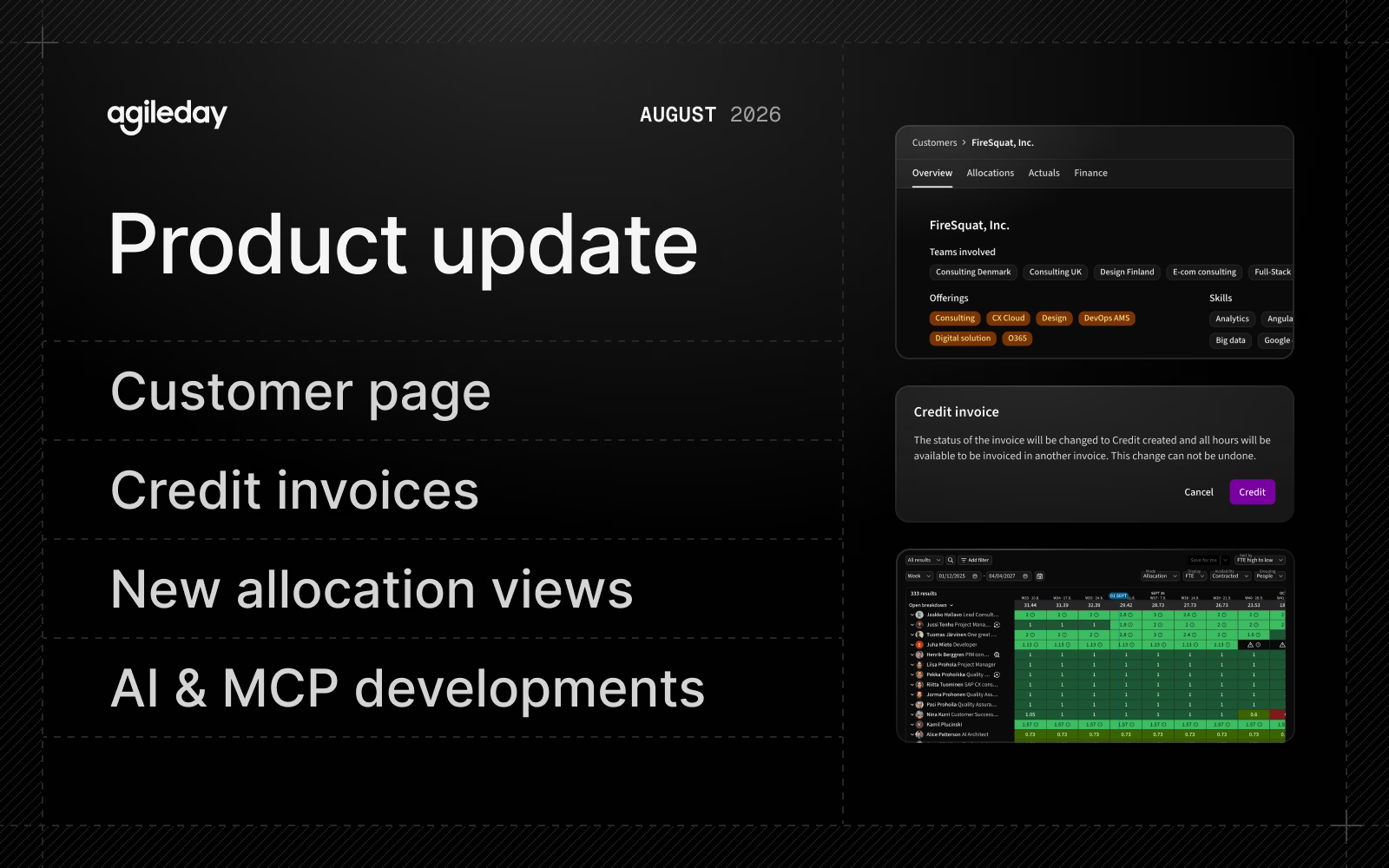
August brought better visibility into customers and allocations, and more.
Summary
Here are the highlights of this yet another productive month:
- Customer page: All the relevant customer information on a single page.
- Credit invoices: A dedicated lifecycle for crediting an invoice all the way to your financial system.
- Allocations: New views for projects and people, with sorting, new filters, and utilization.
- AI and MCP: Proficiency-based employee search and a new bench tool, totaling 54 tools.
Let’s jump into the details.
Customer page
Everything related to a customer is now available on a single page: Overview, projects, opportunities, allocations, reported hours, and financials. This gives account leads and project managers a complete view of each customer without jumping through multiple pages.
The Customer listing page also includes our new filtering experience, so you can create more granular filters and save them for yourself or share them with everyone.
The new Customer page is enabled per organization together with the new Allocations views. Contact your customer success manager to enable them today. During the next two weeks, we will enable the new view for all customers automatically.
Read more about Customers.
Credit invoices
Invoicing now includes a dedicated lifecycle for credit invoices.
You can credit an invoice, then manage and track its status in Agileday and integrate the credit invoice with your financial system. The credit invoice identifier in the financial system is then stored in Agileday via integration. All hours included in a credited invoice are released and can be invoiced again.
Read more about the Invoice process.
New Allocations views
Allocations has new views for projects and people.
New filters give you more granular control over which projects or people are displayed, and the views now support sorting by criteria such as employee name, employee start date, or allocation. You can also sort by the selected week or month. Utilization is also available as a new view option.
The new Allocations views are enabled per organization. Contact your customer success manager to enable them today. During the next two weeks, we will enable the new view for all customers automatically.
Read more about Allocations.
AI and MCP
We continued to expand our AI capabilities:
- Employee search by proficiency: You can now filter by minimum skill proficiency, from 0 to 5 in half-point increments. Results are also ranked and grouped by proficiency level.
- Bench visibility: A new tool,
find_people_on_bench, finds people who are not allocated or are allocated below a threshold you specify. - Opening search can now be limited to a single project.
Overall, we now expose 54 tools covering users, staffing, customers, projects, and opportunities, with more to come. See the full list in our MCP guide.
Additionally, we fixed AI chat issues where requests requiring a long sequence of steps could end without a response, and where lengthy responses could stop partway through. AI Chat is currently available to a limited group of organizations as a private beta.
Improvements
A monthful of improvements, in one neat list, s'il vous plaît:
- Openings with reported hours can not be deleted, and the delete button is now disabled in the UI when deletion isn't possible.
- Project tasks can now be duplicated. All fields, including pricing and task budget, are copied except the task
externalId, which must be unique within a project. - In Billing, we added an Excel export of invoiced hours alongside the existing PDF attachment, making it easier to analyze the hours in a single invoice.
- Download actions in the invoice preview are now grouped under a single control, replacing the previous three separate buttons.
- After piloting, the new Timesheets experience is now active for all customers. Actuals and Allocations bulk downloads are considerably faster, and the new filters are available. Hours can also be filtered by project type (for example External or Absence). For now, People → Timesheets remains available only to users with Administrator or HR Admin permission roles.
- Time reporting: We added faster ways to clear a timecard. "Clear all" removes every reported hour while leaving the project and task rows in place, and each row now has its own action to either clear that row's hours or remove the row entirely.
- Time reporting: We added a setting to require comments for time entries, configurable at the tenant, project, and task levels. Users can also add comments at the weekly timesheet level, which are accessible via API.
- Time reporting: We added a tenant setting to prevent time reporting on projects that have no active tasks. When enabled, employees see a message identifying the project manager instead of reporting hours against the global default task. By default, the existing behavior (using the global default task if no project-specific tasks exist) remains unchanged.
- Profile: Office is now a structured field, managed centrally in Settings, similar to Team, which enables consistent filtering and reporting instead of relying on individually entered values. The previous free-text Office field has been renamed My location and remains free-form. Both are displayed in user profiles and can be managed through the API.
- Absences: We added a setting to hide "Add absence" from the employee profile for organizations that import absences from an external system. This is enabled per tenant on request.
- Absences: The Absence requests API (
/v1/absence-requests) is now public. You can use it to create absences from external sources such as payroll and HR systems. - Settings: We added built-in support for Vietnam's 11 statutory public holidays as defined by the 2019 Labor Code.
- CV Editor: The "Translate all fields" dialog now indicates the estimated translation time, giving clearer feedback when translating larger CVs.
- API token management: In Settings → Integration, administrators can now see every API token in their tenant and revoke any of them, giving a single place to review and control integration access.
- The Allocation reporting API (
/v1/reporting/allocation) now uses live data instead of a nightly cache. - We added a new endpoint,
/v3/time_entry, for fetching time entry data with advanced filters. When usingtimecardIdas a filter, you can now fetch all entries in a time card. /v2/reporting/time_reportingnow returnstaskProductExternalId, so integrations can map reported rows to the correct product without refetching the full dataset.- We added a new endpoint,
/v1/offering, to manage Offerings in Agileday.
For the list of fixes, check our release notes.
That's it for August, see you again next month. Until then, let us know if you have any questions.